
Solved on your phone
Every word on
your rack, ranked.
Screenshot your Words With Friends board. WWF Cheat reads the squares and your rack, then lists every word you can actually play — best first, with the points it scores.
How it works
Three taps, no typing.
The slow part of every other helper is entering the board by hand — fifteen rows of squares before you get a single suggestion. This starts from a picture instead.
- 01
Screenshot your game
Play as normal in Words With Friends. When it is your turn and you are stuck, take a screenshot the way you always do.
- 02
Open it in the app
Share the screenshot straight to the app, or pick it from your camera roll. It finds the board, reads the tiles already down, and reads the seven on your rack.
- 03
Take the word you want
Every playable word comes back ranked by score. Tap through the list to see exactly where each one goes on the board, then play it in the game.
Inside the app
This is what you get.
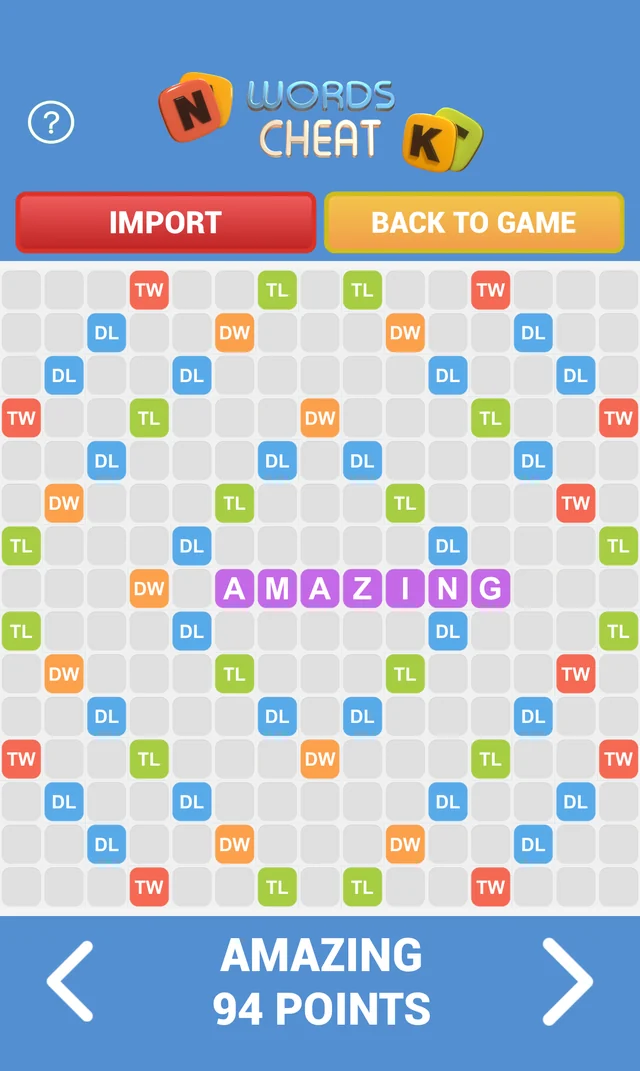
Your board, read from the picture
Every square, every tile already down, and the seven on your rack.
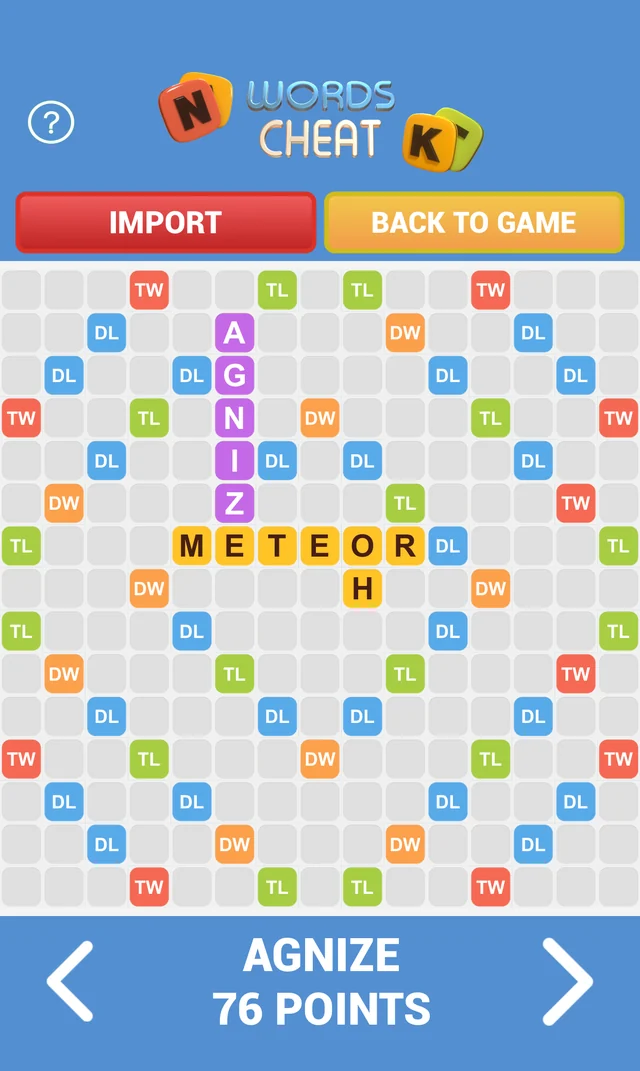
Best first
The highest-scoring play is what you see when the scan finishes.
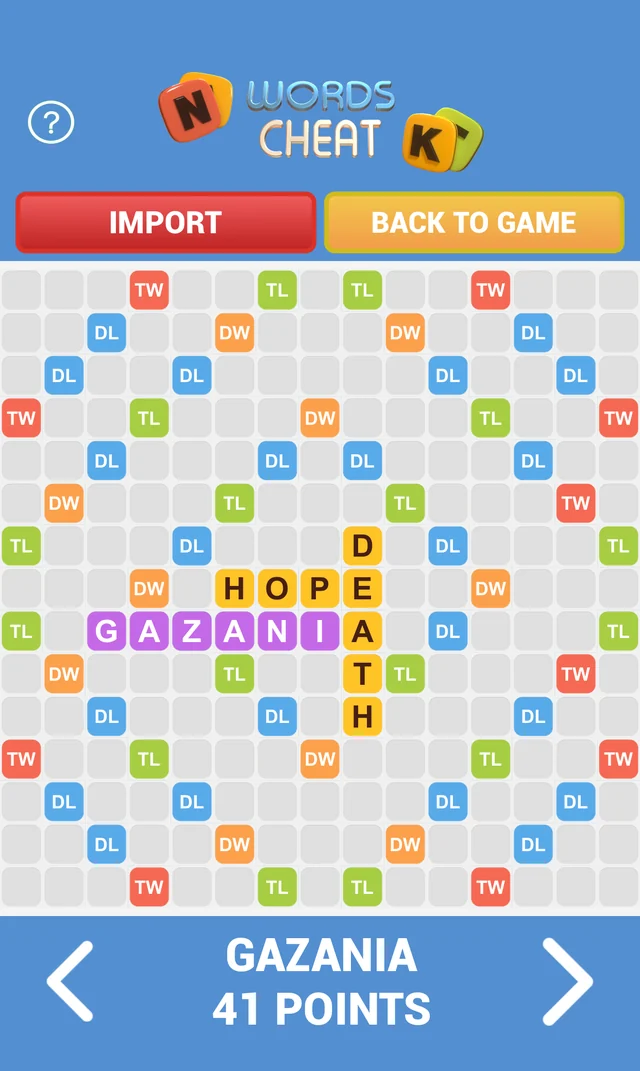
Words you would not have found
It searches the whole dictionary against your rack, not just the obvious.
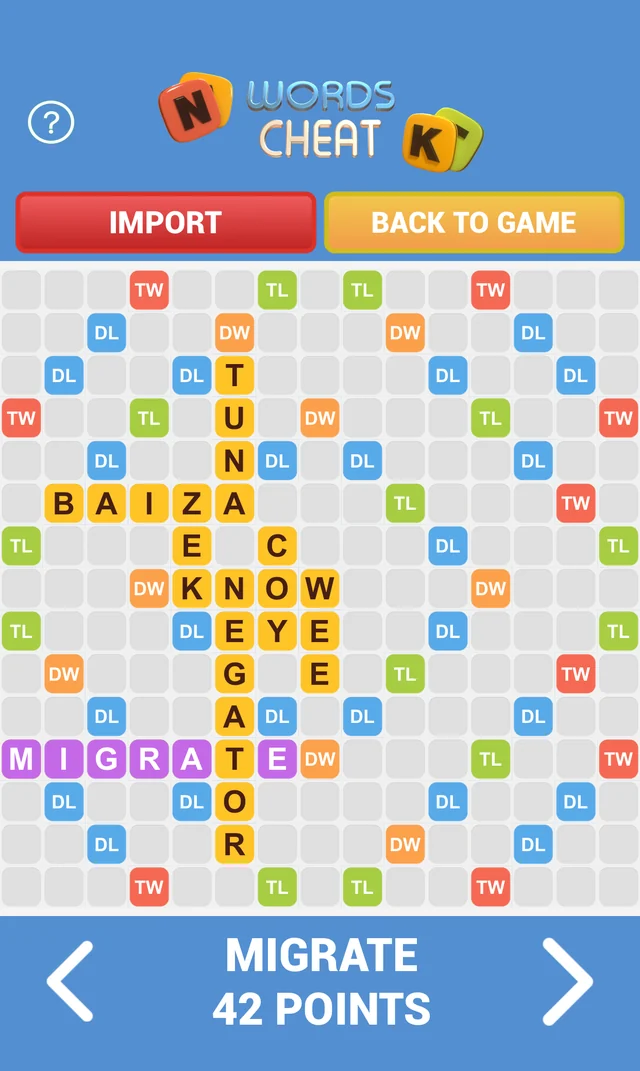
And exactly where it goes
Step through with the arrows; each word lights up in its place.
Features
Built for the turn you are stuck on.
It reads the picture
The board, the tiles already played, the premium squares and the seven letters on your rack — all recovered from a screenshot. Nothing to type in.
Ranked by what it scores
Not a pile of anagrams — every word you can legally play from where you are, ordered by points, and the board shows you exactly where each one goes.
Correct anything it gets wrong
A tile misread, or a letter you would rather change? Tap the square and pick the right one. The list re-sorts around your edit.
Blanks handled properly
A blank tile scores nothing itself but plays as any letter, which is exactly why it is easy to misuse. The solver treats it as the game does.
3 dictionaries
English — the word list the game itself judges you against — plus French and Portuguese, all bundled with the app.
The board stays on your phone
Recognition and solving both run on the device. Your game is not uploaded anywhere, there is no account to make, and the word lists work with no signal at all.
Do I have to type my board in?
No. That is the point of it. You take a screenshot in Words With Friends and the app reads the board and your rack out of the picture. If a tile comes back wrong you can tap it and fix that one square, rather than entering all of them.
Does it work while I have no signal?
The part that matters does. Recognition and the word search both run on your phone, and the dictionaries are installed with the app, so you can solve a board on a plane or underground.
Is my game sent anywhere?
No. Your screenshot and your board are not uploaded — the solving happens on the device. There is no account to create and nothing to sign in to.
Which languages does it play in?
3 dictionaries ship with the app: English, French and Portuguese. The English one is the word list the game itself uses to decide what counts. The app's own interface is in English.
Does it work with Words With Friends 2?
Yes. Words With Friends 2 is the current version of the same game, and it is the one most people are screenshotting.
Will it get me banned?
The app never touches your game. It does not connect to your account, read your session or play moves for you — it looks at a picture you took and tells you what the words are worth. You still make the move yourself.
What does it cost?
It is free to download and free to start using, with an initial number of scans included. After that there are several ways to carry on — a subscription, a one-time purchase, or topping up with keys — and you choose inside the app.
Is this made by Zynga?
No. It is an independent app from Pixel Works Software and is not affiliated with or endorsed by Zynga. Words With Friends is their trademark; it is named here to say what the app works with.